
Fake Meta Business Suite Login Lookalike Domains?
Meta Business Suite login looks wrong or arrived by DM? Spot lookalike phishing hosts, use Business Support Home, audit People access.

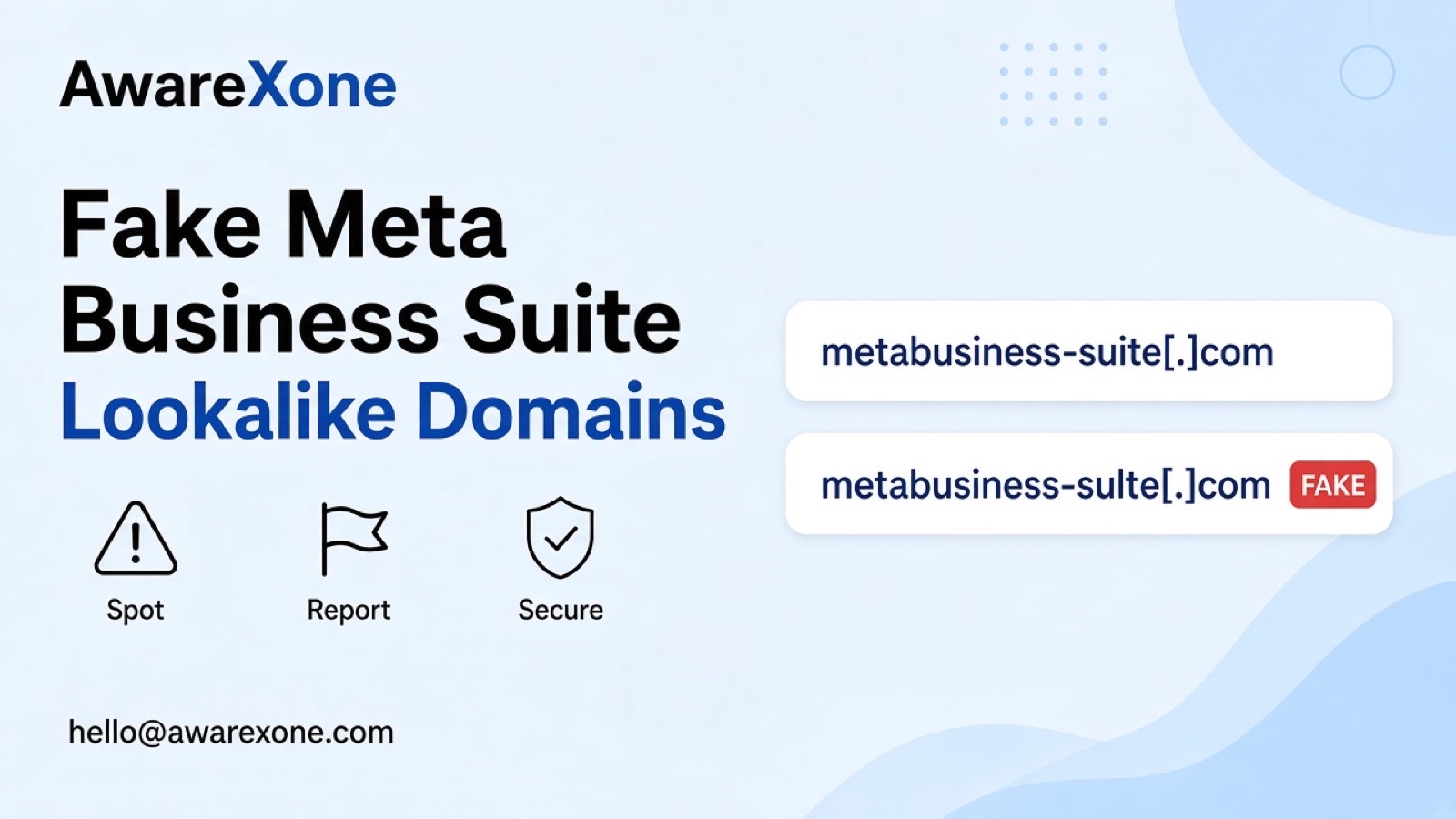
Short answer
If a Meta Business Suite login looks off or came from a DM, close it and open Business Suite from a bookmark you trust. Do not enter passwords or codes on lookalike hosts. Use Business Support Home and review People access if you already typed anything.
Summary- PhishPin's November 2026 social phishing index listed Meta Business Suite among high-visibility lookalike targets; treat those rankings as PhishPin's snapshot, not an AwareXone host tally.
- Meta Business Help covers Business Support Home and people who have access to business assets.
- Do not enter passwords or codes from DM links that open unfamiliar hosts.
- Distinct from portfolio unknown-admin takeover drafts; this guide is lookalike login phishing only.
- One wrong step can cost you the account, so know what you are doing before you start.
Search or a Messenger link opens a Meta Business Suite login. The logo looks right. The host name is slightly wrong. Malaysian media buyers who live in Business Suite need a spotter before ads wallets move.
PhishPin's social phishing index as of 8 November 2026 listed Meta Business Suite among prominent lookalike phishing targets. Soften those ranking figures as PhishPin's own snapshot for that day rather than an AwareXone count. Meta's Business Support Home and Add People to a Business Portfolio help cover official support and admin reviews. This guide is lookalike login phishing. It is not a portfolio unknown-admin takeover rewrite. One wrong step can cost you the account, so know what you are doing before you start.
Last checked: 8 November 2026.
#Quick Answer
If a Meta Business Suite login looks off or came from a DM, close it and open Business Suite from a bookmark you trust. Do not enter passwords or codes on lookalike hosts. Use Business Support Home and review People access if you already typed anything.
#Meta Business Suite Phishing Spotter
| Signal | Safer reading | Your move |
|---|---|---|
| Host name with extra words or odd TLD | Lookalike phishing page | Close tab; use a bookmark |
| DM says your account will be disabled unless you log in | Urgency lure | Do not tap; open Business Suite yourself |
| Page asks for password plus authenticator codes immediately | Session theft | Stop; change password from a clean bookmark |
| Asks you to add a new business admin to keep ads live | Access takeover | Refuse; audit People access |
| Business Support case you never opened | Fake ticket theatre | Verify only inside Business Support Home |
#If You Already Typed the Password
- Change the Facebook password from a bookmark you trust.
- Sign out other sessions.
- Review People and partners on the business portfolio.
- Check ads payment methods for strangers.
- Report the phishing URL through official Facebook reporting tools.
Facebook's phishing help warns about deceptive login pages. Meta's About Meta Business Support Home is the Official support entry you type yourself.
#How This Differs From Portfolio Admin Takeover
Unknown finance editor or admin already inside the portfolio is a different planned path. This article is lookalike login pages that steal credentials before they enter. For admin removals after a breach see Facebook Page hacked admin removed.
Fake restore sellers may follow; see Account recovery scams and Fake hackers offering account recovery.
Subscribe to receive notifications of new posts
#What Only Meta Can Decide
Meta decides business asset access and support outcomes. Your part is refuse lookalike hosts and keep People access clean.
Keep screenshots of every notice with the date in Malaysia time so later support chats match what you saw.
Prefer official help URLs you type yourself rather than buttons inside unexpected emails or DMs.
Ignore anyone who messages you offering a paid clear or a private tool.
Do not share your password, codes or session cookies with anyone who contacts you about this case.
Teams should nominate one owner for the case so staff do not file conflicting appeals from different logins.
After access returns, review connected apps and remove anything you do not recognise before you resume normal posting.
Tell close contacts through another channel that your account may send odd links until the situation is stable.
Write down the exact on-screen wording before you screenshot so later appeals match what the platform showed.
If a platform offers only a limited number of reviews, use them carefully and attach only evidence you can defend.
Document which devices still have an active session so you can sign them out in order once you regain control.
A calm checklist beats rushing a second account that can create more policy problems.
Share only the facts your staff need. Over-sharing passwords in a group chat creates a second incident.
Schedule a short debrief after access returns so the same bait does not work on the next shift.
Update internal playbooks with the exact Help Centre titles you used, including the read date.
Check that billing cards tied to the account still belong to you after the incident settles.
Rehearse a calm public statement that avoids inventing timelines you cannot prove.
Close the loop with anyone who received a scam message from your account during the outage.
Move sensitive work to a dedicated browser profile without random extensions when possible.
Bookmark the real Business Suite URL on every media buyer laptop.
Train staff that search ads for Business Suite login are high risk.
Keep a People access export before campaign launches.
Finance should watch for new payees the same day a phishing click occurs.
Write down the exact on-screen wording before you screenshot so later appeals match what the platform showed on the day you acted.
Tell close contacts through another channel that your account may send odd links until the situation is stable.
Prefer official help URLs you type yourself rather than buttons inside unexpected emails or DMs.
Keep a simple timeline with Malaysia time stamps for every password change, appeal and public warning.
If a platform offers only a limited number of reviews, use them carefully and attach only evidence you can defend.
After access returns, review connected apps and remove anything you do not recognise before you resume normal posting.
Teams should nominate one owner for the case so staff do not file conflicting appeals from different logins.
Ignore anyone who messages you offering a paid clear or a private tool. Stay on official help pages you open yourself.
Do not share your password, codes or session cookies with anyone who contacts you about this case.
Keep screenshots of every notice with the date in Malaysia time so later support chats match what you saw. Wording can vary by app and region.
If you already paid a stranger who promised a restore, stop further payments and move to bank and police reporting the same day.
Document which devices still have an active session so you can sign them out in order once you regain control.
A calm checklist beats rushing a second account that can create more policy problems.
Share only the facts your staff need. Over-sharing passwords in a group chat creates a second incident.
Keep a written timeline of every password change and appeal with Malaysia time stamps.
Prefer daylight hours for sensitive resets so more staff can watch the process.
If a lesson or quiz appears after a lock, complete only the official in-app flow.
Do not celebrate early if a temporary feature returns while a deeper appeal is still open.
Remove leftover recovery codes from screenshots before you file them in email.
Ask whether any contractor still has an active session on a personal phone.
When vendors ask for status, give them a single approved sentence rather than conflicting replies.
For meta business suite lookalike phishing domains, keep the official sources folder beside your screenshots.
Keep a printed list of official Meta domains next to media buyer monitors.
Finance should freeze new partner invites until People access is audited.
#When It Is Safer to Get Expert Help
Getting help is safer when passwords were typed, when new business admins appeared, or when ads spend is material. Wrong DIY admin adds deepen the theft.
If you are unsure about any step, or the portfolio matters to your income, having an experienced team check it is the safer choice. AwareXone does this work. See our Business Manager recovery page.
#When a Case Review Makes Sense
A case review helps when lookalike phishing, People access and ads billing sit together. We are a Malaysia-based team, independent of Meta, and we use only the official routes. We do not ask for your password or codes, and we cannot promise a result. See our trust page.
#Frequently Asked Questions
How do I open real Business Suite?
Use a bookmark or type the official Meta Business domain yourself. Avoid DM links.
Are PhishPin rankings official Meta stats?
No. They are PhishPin's published phishing index snapshot. Soften them accordingly.
Is this the unknown admin portfolio article?
No. That planned path covers admins already inside. This one is lookalike login phishing.
What if I already entered a code?
Change password, sign out sessions, audit People access, and review payment methods.
Should I pay a recovery seller?
No. Stay on official Business Support Home routes.
Official sources
- Official: About Meta Business Support Home, Meta Business Help Centre (read 8 November 2026)
- Official: Add People to a Business Portfolio and Assign a Business Asset, Meta Business Help Centre (read 8 November 2026)
- Official: About Meta Business Support Home, Meta Business Help Centre (read 8 November 2026)
- Official: Protect yourself from phishing on Facebook, Facebook Help Centre (read 8 November 2026)
Related guides
More free guides on the same kind of problem.
- Facebook Page Hacked and Admin Removed: How to Recover
- Meta Business Verification Rejected? How to Fix It
- LinkedIn Meeting Asks You to Paste Terminal Commands?
- Double Counter Bot Data Exposed: What Members Do?
- Snapchat Sign In Alert You Did Not Request? Real or Phishing
- Meta Business Suite "Something Went Wrong": Am I Restricted?